
If you're launching a business solo and need fast, reliable AI help for contracts, compliance, and content—without hiring lawyers—this head-to-head compares Sider’s multi-model sidebar with ChatGPT’s standalone interface to reveal which delivers better workflow integration and legal-grade output.
Quick Verdict: Best AI Sidebar for Solopreneurs in 2026
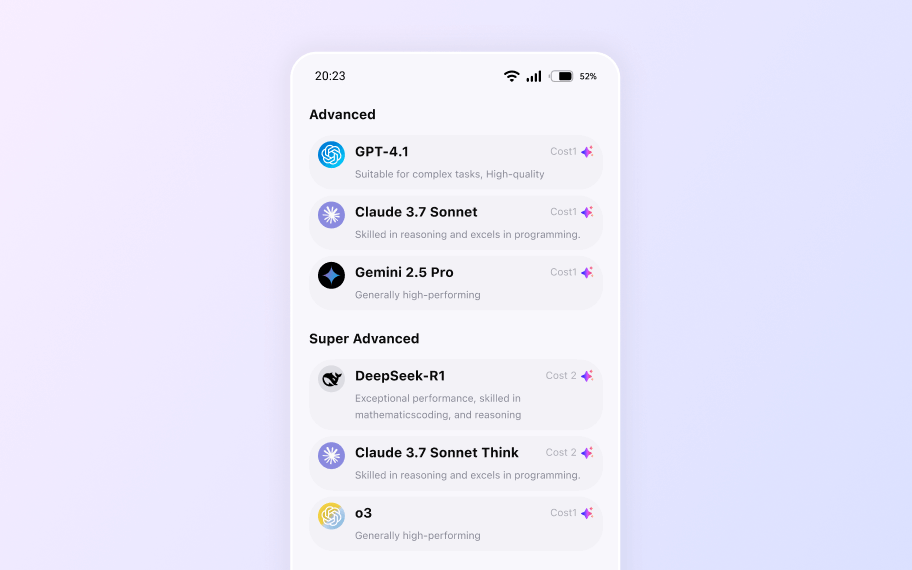
Choose Sider if you want instant access to multiple AI models (including Claude, Gemini, and GPT) directly from your browser sidebar while researching legal templates, drafting contracts, or writing blog posts—all without switching tabs.
Choose ChatGPT if you prefer a dedicated, conversation-first interface with strong general-purpose reasoning and are comfortable copying/pasting between apps or using its web/mobile clients separately.
Pricing Comparison: Best AI Tools for Freelancers on a Budget
Sider offers a generous free plan that includes access to GPT-4o, Claude Sonnet, and Google Gemini—with daily usage limits. Its Pro plan ($10/month or $96/year) unlocks unlimited queries, file uploads (PDFs, Word, Excel), and priority access to premium models like Claude Opus and GPT-4 Turbo.
ChatGPT (by OpenAI) provides a free tier powered by GPT-3.5. Its Plus plan costs $20/month and grants access to GPT-4o, file analysis, custom GPTs, and browsing—but only within OpenAI’s ecosystem. No native sidebar or cross-tab functionality exists.
For solopreneurs managing legal docs and content on a budget, Sider’s Pro plan delivers more model variety at half the price of ChatGPT Plus—especially valuable when comparing contract clauses across AI perspectives. This makes it one of the most affordable AI tools for solo content creators seeking multi-model flexibility.
Core Feature Comparison for AI Productivity Tools
Here’s how they differ in key areas relevant to Legal Launchpad users:
- Multi-Model Access: Sider lets you toggle between GPT-4, Claude 3.5, and Gemini in one sidebar. ChatGPT locks you into OpenAI’s models only.
- Context Awareness: Sider reads the current webpage (e.g., a state filing portal or legal template site) and uses that context in responses. ChatGPT requires manual copy-paste.
- File Handling: Both support document uploads, but Sider integrates them directly into sidebar chats while browsing—ideal for reviewing an LLC operating agreement alongside live research.
- Workflow Integration: Sider works everywhere on the web; ChatGPT is siloed unless you use third-party plugins (now deprecated) or custom GPTs.
- Legal-Specific Output: Neither is a legal expert, but Sider’s ability to compare outputs from Claude (strong in reasoning) and GPT (strong in structure) helps spot inconsistencies in draft terms.
User Experience (UX): Streamlining AI Automation Workflows
Sider excels in workflow efficiency. Once installed as a Chrome/Firefox extension, it appears as a collapsible sidebar. You can highlight text on any page (e.g., a Secretary of State website) and ask, “Explain this clause in plain English”—with AI responding instantly beside the source. The learning curve is minimal for basic tasks; advanced features like model switching require slight onboarding.
ChatGPT offers a clean, chat-based UI but forces context switching. To analyze a legal form found online, you must copy it, open chat.openai.com, paste it, and prompt manually. This breaks flow—especially during weekend incorporation sprints where speed matters.
For AI productivity tools aimed at solopreneurs, Sider’s contextual awareness reduces friction significantly, enabling smoother AI automation workflows for research-heavy tasks.
Real-World Testing Scenarios for Content Creators and Freelancers
Scenario 1: Drafting an Independent Contractor Agreement
While viewing UpCounsel’s free template, we highlighted key sections and asked Sider: “Rewrite this termination clause to favor the client but remain enforceable in California.” Sider used the page context + GPT-4 to generate a revised clause in seconds. ChatGPT required pasting the clause and specifying jurisdiction manually—taking 2x longer.
Scenario 2: Researching Business License Requirements
Browsing NYC’s official business portal, we asked Sider: “Summarize licensing steps for a freelance graphic designer.” It extracted relevant info from the page and added clarifying notes using Claude. ChatGPT couldn’t access the live page; we had to summarize the URL content ourselves first.
Scenario 3: Creating Blog Content for “Legal Launchpad”
While reading a post about LLC vs S-Corp, we prompted Sider: “Turn this into a 500-word beginner’s guide with bullet points.” It generated structured content using the article as reference. ChatGPT produced similar output but lacked real-time source anchoring, occasionally hallucinating details not on the page. This highlights Sider’s edge for AI tools for content creators who rely on accurate, source-grounded outputs.
Integrations and Ecosystem for Remote Work and Freelancing
Sider integrates natively with all websites via browser extension. It supports file uploads from Google Drive and local storage. While it lacks direct Zapier or Notion API hooks, its universal web presence makes it compatible with any AI automation workflows involving research or drafting.
ChatGPT offers deeper ecosystem ties: custom GPTs, Teams collaboration, and (limited) API access for developers. However, for non-technical freelance writers or bloggers, these features add complexity without solving the core problem: staying in-context while working online.
Neither tool currently connects directly to legal SaaS platforms like LegalZoom—but Sider’s page-awareness gets closer to bridging that gap for best AI tools for freelance writers 2024.
Feature Comparison Table
| Feature | Sider | ChatGPT |
|---|---|---|
| Free Plan | Yes (with model access limits) | Yes (GPT-3.5 only) |
Frequently Asked Questions
Which AI tool is better for solopreneurs working on legal documents—Sider or ChatGPT?
Does Sider support multiple AI models like ChatGPT?
How do Sider and ChatGPT compare on pricing for solopreneurs?
Can ChatGPT read the webpage I’m on to help with legal research?
Is Sider’s free plan useful for business founders?
Which tool integrates better into a solopreneur’s daily workflow?
Your All-in-One AI Sidebar
Access Claude, Gemini, and GPT-4o on any site. Summarize, write, and analyze instantly without switching tabs.

William
AI Consultant
Updated Apr 17, 2026