
Launching a legal business without lawyers is possible—if you have the right AI stack. This guide reveals a curated workflow using Sider and other AI tools to incorporate, draft contracts, and stay compliant in under 48 hours.
Introduction: Launch Your Legal Business with AI Tools for Solopreneurs
Solopreneurs face a brutal bottleneck: legal setup. Incorporating, drafting contracts, and ensuring compliance traditionally demands expensive lawyers and weeks of waiting. But with today’s AI tools for professionals, you can legally launch your business in a weekend—without sacrificing quality or compliance.
The secret? A purpose-built AI workflow that combines legal intelligence, document automation, and multi-model reasoning. Instead of relying on one generic tool, smart founders use a stack of specialized AI tools that work together seamlessly. This article reveals the exact combination that makes it possible—including top AI tools for solopreneurs and step-by-step automation workflows tailored for legal launches.
AI Automation Workflows for Legal Setup: A 4-Stage Framework
The ideal legal launchpad workflow has four critical stages:
- Entity Selection & Incorporation Guidance – Choose the right business structure (LLC, S-Corp, etc.) based on your location and goals.
- Contract Drafting & Review – Generate client agreements, terms of service, and privacy policies tailored to your offering.
- Compliance Checklist Automation – Track federal, state, and local requirements like EIN, business licenses, and disclosures.
- Ongoing Legal Monitoring – Stay updated on regulatory changes that affect your niche.
Each stage eliminates guesswork and reduces legal risk—while cutting costs by 90% compared to traditional legal services. These AI automation workflows are especially powerful for solo founders managing everything from client onboarding to compliance.
The Curated AI Stack: Best AI Tools for Solopreneurs in 2024
Sider: Multi-Model AI for Real-Time Legal Research
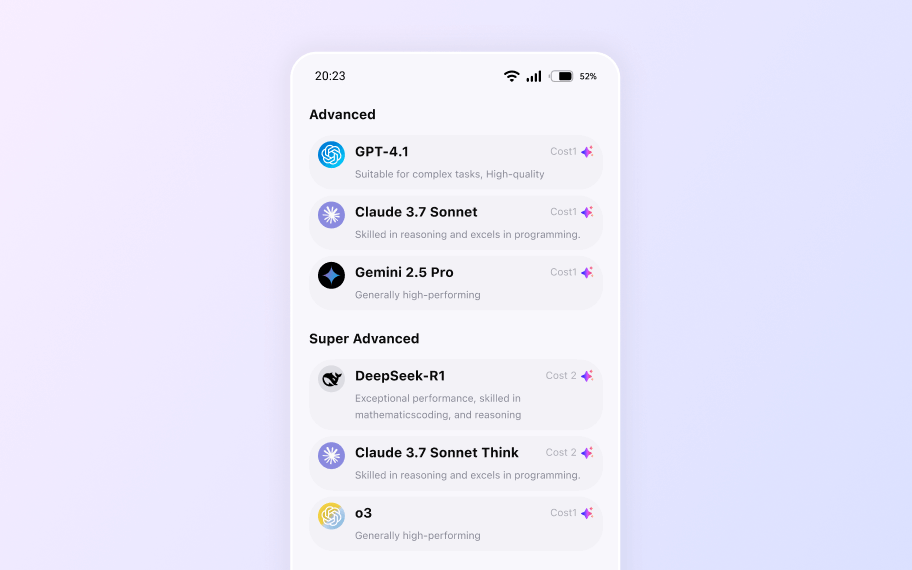
What it does: Sider is a browser sidebar that gives instant access to multiple AI models (including GPT-4, Claude, and open-source options) while you browse legal templates, government sites, or contract databases.
Why it’s essential: Legal research requires cross-referencing statutes, sample docs, and jurisdictional rules. Sider lets you query AI without leaving the page—perfect for analyzing Secretary of State filing requirements or dissecting a SaaS contract clause.
Key feature: Multi-model switching in real time. Compare how GPT-4 vs. Claude interprets a non-compete clause while viewing it on LawDepot.
Pricing: Free tier available; Pro at $12/month (billed annually).
Best for: solopreneurs, indie hackers, and bootstrapped founders who need contextual legal AI without app-switching.
Budget Tier: Starter
LawDepot: Affordable AI-Powered Legal Document Generation
What it does: Generates legally valid contracts, incorporation docs, and compliance forms customized by state/country.
Why it’s essential: Provides court-tested templates that auto-fill based on your answers—no legal jargon required.
Key feature: State-specific customization for operating agreements and NDAs.
Pricing: $9.99/month for unlimited documents.
Best for: solopreneurs launching service-based or digital businesses.
Budget Tier: Starter
Notion AI: Build a Step-by-Step Notion AI Workflow for Bloggers and Founders
What it does: Turns your legal checklist into an interactive, AI-powered workspace.
Why it’s essential: Tracks deadlines (e.g., “File EIN within 30 days”), auto-generates compliance summaries, and stores all legal docs in one searchable hub.
Key feature: AI database summarization—ask “What’s my next compliance step?” and get a prioritized task list.
Pricing: $10/month (billed annually).
Best for: organized solopreneurs who want a single source of truth for legal ops.
Budget Tier: Starter
HelloSign (by Dropbox): AI-Powered Email Automation for Freelancers
What it does: E-signature platform for sending and tracking signed contracts.
Why it’s essential: Once your contract is drafted (via LawDepot + Sider review), HelloSign makes execution seamless and legally binding.
Key feature: Template reuse and automatic reminders for unsigned docs.
Pricing: Free for 3 docs/month; Pro at $15/month.
Best for: freelancers and consultants closing client deals fast.
Budget Tier: Starter
ComplyRight: U.S. Compliance Automation for Solo Founders
What it does: Specializes in U.S. federal and state compliance (EIN, labor posters, tax forms).
Why it’s essential: Automates bureaucratic filings so you don’t miss critical steps like workplace compliance posters or new hire reporting.
Key feature: State-by-state compliance wizard with printable PDFs.
Pricing: Free core tools; premium bundles from $29.
Best for: U.S.-based solopreneurs hiring contractors or employees.
Budget Tier: Starter / Pro
Zapier: Connect AI Tools to Streamline Client Onboarding
What it does: Connects your legal tools into automated workflows.
Why it’s essential: Triggers actions across apps—e.g., when a contract is signed in HelloSign, auto-save it to Notion and notify you via Slack.
Key feature: Pre-built “Legal Ops” templates for client onboarding.
Pricing: Free tier; Starter at $19.99/month.
Best for: solopreneurs managing multiple clients or recurring contracts.
Budget Tier: Starter
Budget Tiers
- Free: Sider (basic), ComplyRight (core), Zapier (limited)
Frequently Asked Questions
Can solopreneurs legally launch a business without hiring a lawyer?
What are the key stages of an AI-powered legal launch workflow?
How does Sider help with legal setup for new businesses?
Which AI models can be used through Sider for legal tasks?
What types of legal documents can AI help generate for a new business?
Is the AI stack described suitable for all business types?
Your All-in-One AI Sidebar
Access Claude, Gemini, and GPT-4o on any site. Summarize, write, and analyze instantly without switching tabs.

Emma
Deep Learning Engineer
Updated Apr 17, 2026