
Tired of reading endless articles just to extract key points? With Sider’s hidden ‘Summarize & Create’ feature, you can turn any webpage into a crisp summary—and even draft new content from it—in one click. Save hours every week with this AI-powered shortcut.
Spent 20 minutes skimming a 3,000-word blog post… only to realize you still need to rewrite the key takeaways for your team? You’re not alone. Most professionals waste hours weekly digesting online content manually—highlighting, copying, pasting, and rephrasing.
Here’s the good news: Sider—the Chrome extension that brings AI right into your browser—has a little-known superpower that turns any webpage into an instant executive summary and a springboard for original content. No tabs. No prompts. Just one click.
Before vs. After: The Sider Difference
Before: You open a dense article on “AI in Healthcare.” You Ctrl+F for keywords, highlight sections, copy quotes, paste into a doc, and spend 15 minutes crafting a 3-sentence summary for your Slack channel.
After: You click the Sider icon on the same page. In 3 seconds, you get a clean, bullet-point summary plus a ready-to-post LinkedIn caption or email draft based on that content—all generated contextually from the live page.
The result? What used to take 15 minutes now takes 15 seconds. And it’s not just faster—it’s smarter. Sider understands the full context of the page, not just snippets.
The 1-Click Sider Hack: Summarize & Create
- Install Sider from the official site (it’s free and works as a Chrome extension).
- Navigate to any article, blog, research paper, or documentation page you want to digest.
- Click the Sider sidebar icon (usually appears on the right edge of your browser).
- In the Sider panel, type
/summarizeor simply select “Summarize this page” from the quick actions. - Once the summary loads, click “Create from this” to generate a tweet, email, report section, or social post using the summarized insights.
Pro tip: You can also highlight specific text on the page first, then ask Sider to “Summarize this selection” for ultra-precise control.
Why This Changes Everything
Unlike generic summarizers, Sider operates in situ—it sees the full HTML structure, headings, and semantic flow of the page. That means it doesn’t just extract sentences; it infers intent, hierarchy, and nuance.
Marketers use it to turn competitor blogs into campaign ideas. Researchers distill academic papers into meeting notes. Founders scan tech trends and auto-generate investor updates. All without leaving the tab.
“I used to spend 2 hours a day reading industry reports. Now I skim 10x more with Sider’s one-click summary—and my team says my insights are sharper.”
— Lena R., Growth Lead at a Series B startup
Tweet This
“Just discovered you can summarize ANY webpage + create content from it in 1 click with @SiderAI. My new secret weapon for speed-reading the internet. 🤯 #ProductivityHack #AI”
Frequently Asked Questions
Does Sider work on paywalled or login-protected pages?
Is the summary feature free?
Can I use Sider on mobile?
How accurate are Sider’s summaries?
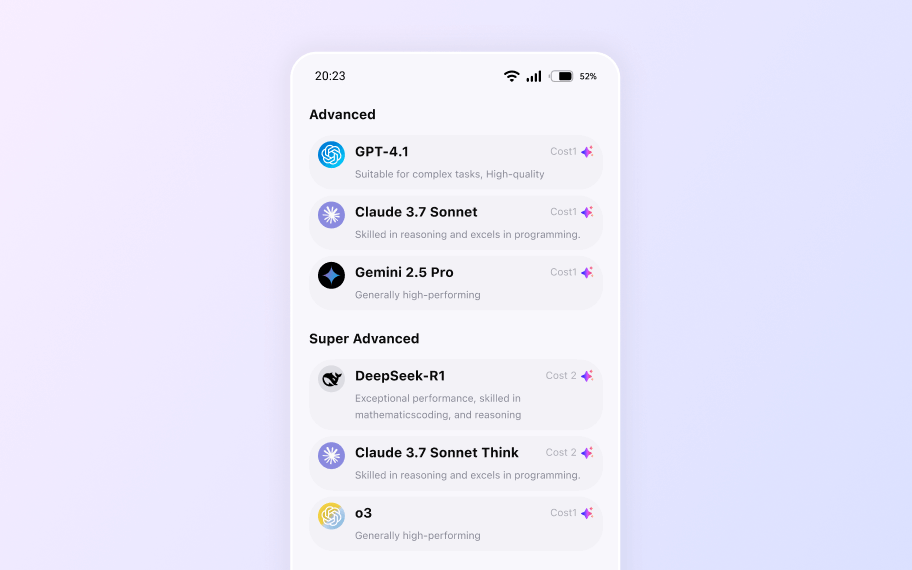
Your All-in-One AI Sidebar
Access Claude, Gemini, and GPT-4o on any site. Summarize, write, and analyze instantly without switching tabs.

Emma
Deep Learning Engineer
Updated Apr 17, 2026